


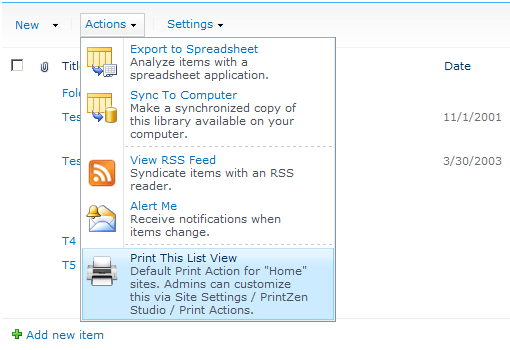
 Ever wanted to print the current view of a SharePoint 2013 / 2010 (SPF/SPS) or 2007 (WSS/MOSS) List? PrintZen is the easiest yet most flexible way to print the selected view of any SharePoint List, Calendar, Document Library, Web Part or Page. This solution package also supports:
- paged and grouped as well as sorted and filtered Views, plus
- sophisticated customizability regarding the display or handling of folders, or
- fully re-designing your printer-friendly List Views (we made this as easy as arranging Web Parts on a SharePoint web page)
— and as with all our software, both free and commercial edition users get to enjoy our legendary commercial-grade premier support.
How to add print-friendly Views to any SharePoint List
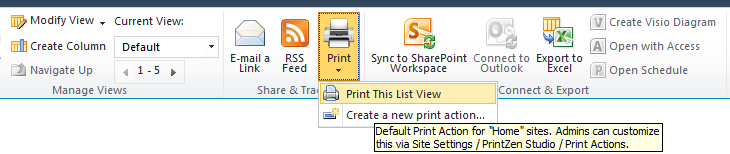 PrintZen integrates one or more Print Actions into the Actions menu of SharePoint List Views and the Share & Track List ribbon. Clicking the menu item will open the SharePoint List View in a printable popup dialog.
- Print a List, Calendar or Document Library view by clicking your Print This List View item
- Prints the current selected view
- Supports sorting, grouping, paging and/or filtering
- Highly customizable via a great set of user-friendly admin pages under Site Settings — no config files!
See it in action: view the screens or download the fully functional software package (includes deployment wizard) — for free and of course, no registration required.



